



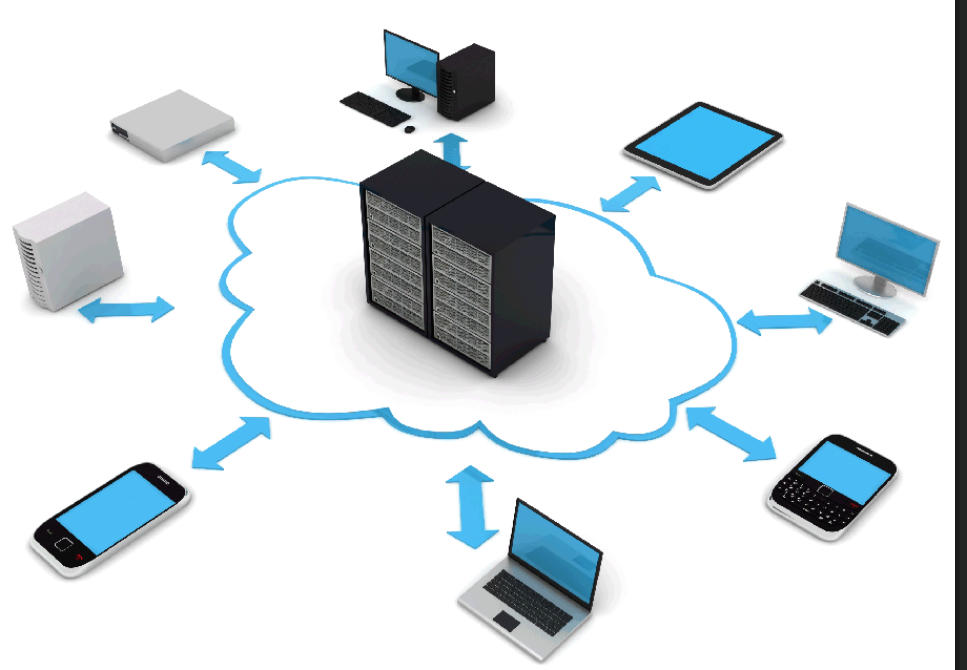
Small offices are starting to go the NAS rather than server route which makes sense due (NAS can nearly do everything a server can
do) to what a NAS can do compared to the cost of a Windows Server plus cost of user licenses
I have setup several offices 5-10 PC`s with a NAS without any real issues and real cost savings…
1.
Windows servers have more options over a NAS but this will require IT admin to maintain on a day to day basis.
2.
NAS is simpler than a Windows Server but still gives most of the functions that a small office would need
3.
File sharing with user permission
4.
Mail server
5.
Remote access
6.
Shared folder can be created for clients (servers cant do this)
7.
Windows requires licenses per user
8.
Windows server complicated to setup
To sum up a Server will offer more but will cost more
Against
NAS will offer a good storage and sharing system with other basic applications but is much more affordable.
If you are interested in a NAS based network give us a call or email to discuss
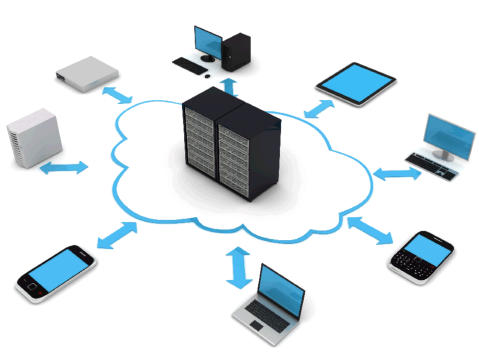
How the NAS would be setup for your office
1.
The data from each users computer would be transfered to the NAS and their name would be the folder for this data so
effectively on the NAS you would have all users in the office assigned to folders on the NAS.
2.
On each indivudual users PC they would access all their documents via a shortcut on their computer to the NAS - no data would
be left on their PC.
3.
This data can be accessed 24/7 as long as the office router is on 24/7 and you can access files and upload and download at
anytime.
4.
Your e-mail would still be on your PC as normal as would printers etc.
5.
This also means if an office PC needs to be replaced or a new PC installed you wont have to worry spending hours transferring
data as it is all on the NAS device, just add a shortcut to new PC and you have access to all your files.
6.
The NAS has 2 x 1TB drives (5 year warranty on drives) set in raid so extra peace of mind for your data.
7.
Ideally you would setup a backup to cloud for the NAS.
8.
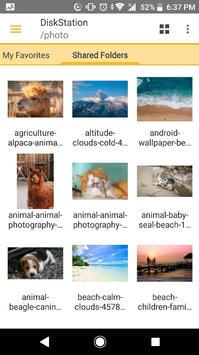
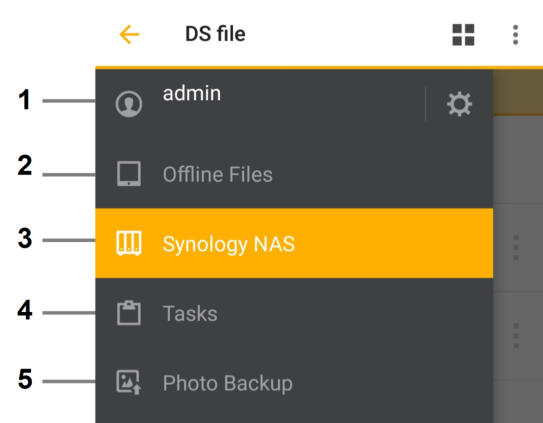
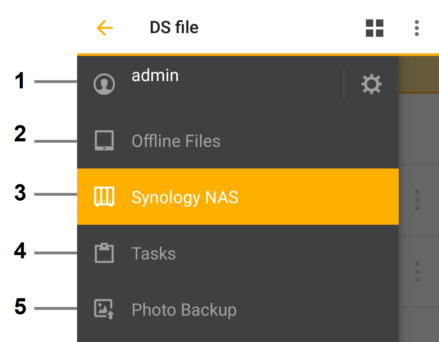
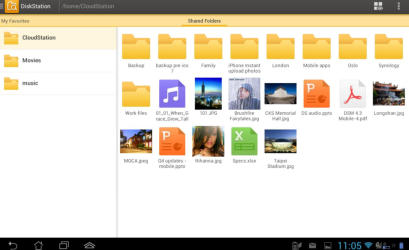
Using DS FILE from synology you can access all your files when you are out of the office.
01236 780410
07758 898026
We are trained in Cisco
CCNA wifi, routing &
networking specialists


TWCOMPUTERS
Based in Cumbernauld, TWComputers covers
central scotland offering onsite and remote support
for home and business users.
For the setup of your existing computers or network
to new computers and components we are here to help
CONTACT US
You can get us during working hours via phone
and outwith these hours via e-mail or text.
01236 780410
07758 898026
tom@twcomputers.co.uk

©Copyright 2023 TWComputers | Website by TWC


Synology, Qnap or Windows Server
I am a big fan of Synology and Qnap and what you can do with these little boxes.
•
I run a virtual Windows machine running my e-mail 24/7 and setup Spam Assassin removing the spam so that on
my business PC or mobile phone I dont get the annoying spam.
•
I run programs like Couch Potato, Transmission, Radarr, Sonarr and they all can be run using the Nas within
containers in Docker so doing the downloading in the background so I just set and forget.
•
Qnap can connect to yout TV via HDMI giving you 4K experience - WOW
•
You can control the NAS via your mobile.
•
VMs are great for testing and say you want to try out a program but not on your main PC run it off a VM that way
no damage gets done to your important operating system.
•
There is just so much flexibility with Synology and Qnap in their App areas with thousands to choose from so there
is nothing you cant run or achieve.









For all your IT needs…..


©Copyright 2023 TWComputers | Website by TWC
Windows servers have more options over a NAS but this will require IT
admin to maintain on a day to day basis.
NAS is simpler than a Windows Server but still gives most of the functions
that a small office would need
File sharing with user permission
Mail server
Remote access
Shared folder can be created for clients (servers cant do this)
Windows requires licenses per user
Windows server complicated to setup
To sum up a Server will offer more but will cost more
Against
NAS will offer a good storage and sharing system with other basic
applications but is much more affordable.
If you are interested in a NAS based network give us a call or email to
discuss

How the NAS would be setup for your office
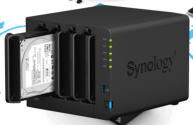
1. The data from each users computer would be transfered to the NAS and their name would be the folder for this data so effectively on the NAS you would have all users in the office assigned to folders on the NAS. 2. On each indivudual users PC they would access all their documents via a shortcut on their computer to the NAS - no data would be left on their PC. 3. This data can be accessed 24/7 as long as the office router is on 24/7 and you can access files and upload and download at anytime. 4. Your e-mail would still be on your PC as normal as would printers etc. 5. This also means if an office PC needs to be replaced or a new PC installed you wont have to worry spending hours transferring data as it is all on the NAS device, just add a shortcut to new PC and you have access to all your files. 6. The NAS has 2 x 1TB drives (5 year warranty on drives) set in raid so extra peace of mind for your data. 7. Ideally you would setup a backup to cloud for the NAS. 8. Using DS FILE from synology you can access all your files when you are out of the office.
01236 780410
07758 898026
Synology, Qnap or Windows Server
I am a big fan of Synology and Qnap and what you can do with
these little boxes.
•
I run a virtual Windows machine running my e-mail 24/7 and setup
Spam Assassin removing the spam so that on my business PC or
mobile phone I dont get the annoying spam.
•
I run programs like Couch Potato, Transmission, Radarr, Sonarr
and they all can be run using the Nas within containers in Docker so
doing the downloading in the background so I just set and forget.
•
Qnap can connect to yout TV via HDMI giving you 4K experience -
WOW
•
You can control the NAS via your mobile.
•
VMs are great for testing and say you want to try out a program but not
on your main PC run it off a VM that way no damage gets done to your
important operating system.
•
There is just so much flexibility with Synology and Qnap in their App
areas with thousands to choose from so there is nothing you cant run or
achieve.


